How to use the metronome in Flat
Last updated September 23, 2026
The metronome in Flat is a click track that follows the tempo written in your score. Flat makes it available for all accounts in the editor and in the public viewer, in three modes — count-in, always on, and always off — and adds a separate audio and visual preview inside the tempo feature.
Which metronome modes does Flat offer?
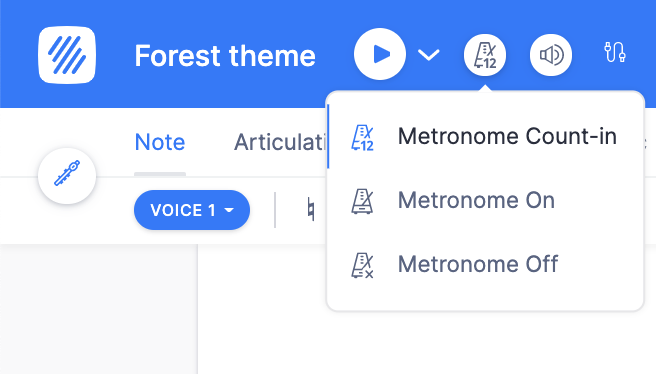
By default, the metronome is set up in "Count-in" mode (aka "Rolling"), which means it will only play before the playback starts. You can change the mode by clicking the metronome icon next to the play button in the top bar, and choosing one of the three available modes:
- Count-in (Rolling)
- Always On
- Always Off
How do I preview a tempo before writing it?
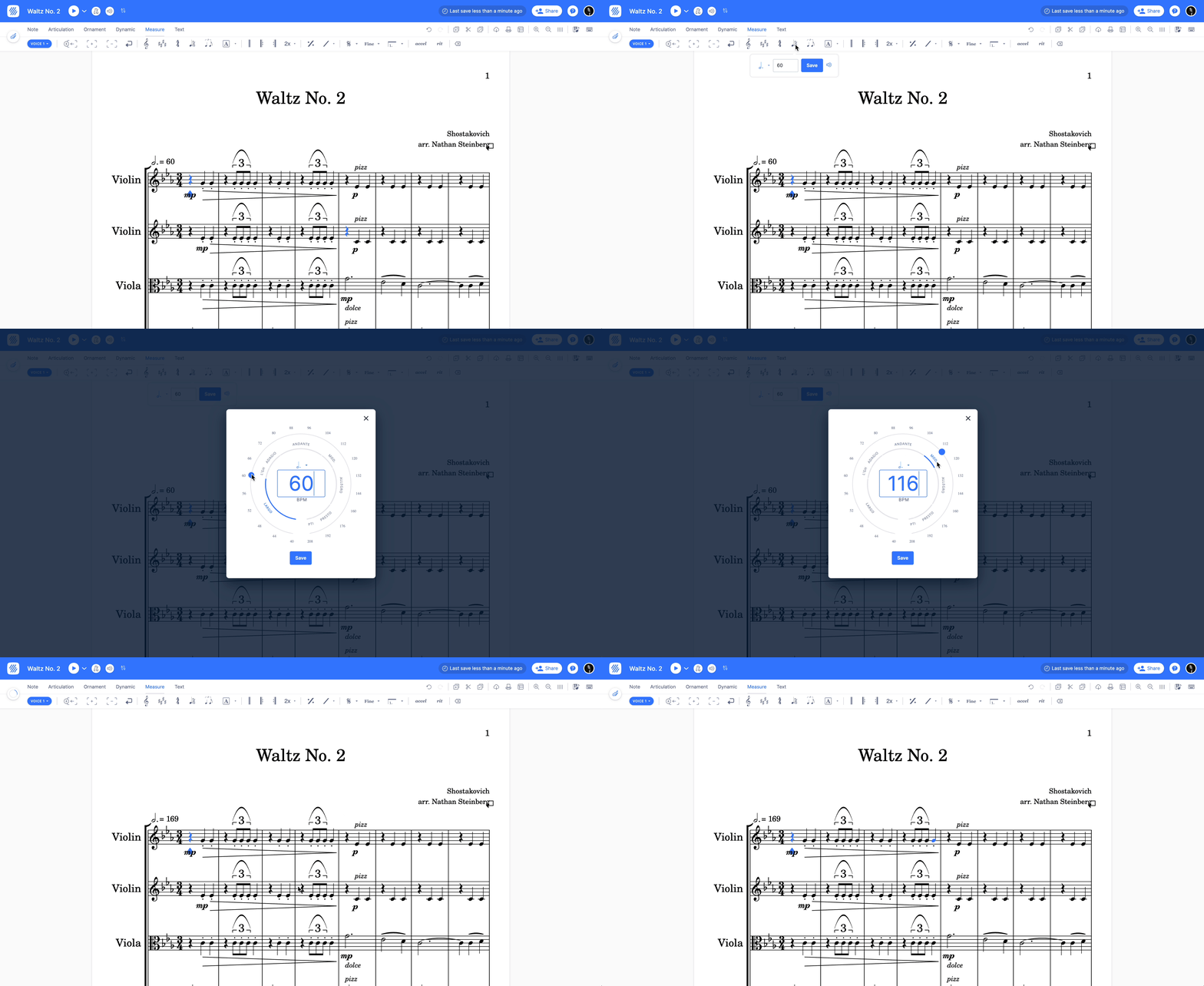
You can also use our dedicated metronome available in the tempo feature: this displays a visual and audio preview of the tempo you set, so you can hear a value before committing it to the score.
Which metronome modes does Flat offer?
By default, the metronome is set up in "Count-in" mode (aka "Rolling"), which means it will only play before the playback starts. Three modes are available:
- Count-in (Rolling)
- Always On
- Always Off
Tap the speaker icon in the top bar to open Playback options, then open Metronome. The modes are set there, and apply to the whole score.
How do I preview a tempo before writing it?
The tempo feature carries its own metronome, separate from the playback one: it displays a visual and audio preview of the tempo you set, so you can hear a value before committing it to the score. See the tempo preview.
The tempo tool has its own preview: while a tempo value is selected you can hear it before committing it to the score.
Frequently asked questions
Do I need a paid plan to use the metronome?
No. The metronome is available for all accounts, in the editor and in the public viewer, so anyone reading or writing a score on Flat can switch it on.
Why does the click stop as soon as the music starts?
Because the metronome is in its default mode. "Count-in" (also called "Rolling") only plays before the playback starts, to set the tempo. Choose "Always On" from the metronome icon if you want the click to continue throughout the piece.
Does the metronome follow the tempo changes in my score?
The metronome plays along with the playback, which follows the tempo markings written in the score. To check a specific value before writing it, use the audio preview in the tempo feature.
Is the metronome included when I export the audio of my score?
The metronome is a playback aid rather than part of the notation, so it belongs to what you hear while working on the score.