How to rename a score part in Flat
Last updated September 23, 2026
A part name in Flat is the label printed to the left of a staff: the full Instrument name on the first system, and the shorter Abbreviation on the systems that follow. Flat lets you change both from the part settings, and hides the label entirely when you leave the name empty.
How do I rename a part?
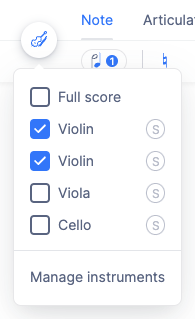
Once you created a score, you can rename the parts in the document settings. Open the Instruments tab in the left panel and click Manage instruments, then edit the part you want.
Open the instruments settings
Open the Instruments tab in the left panel and click Manage instruments.
Edit the part
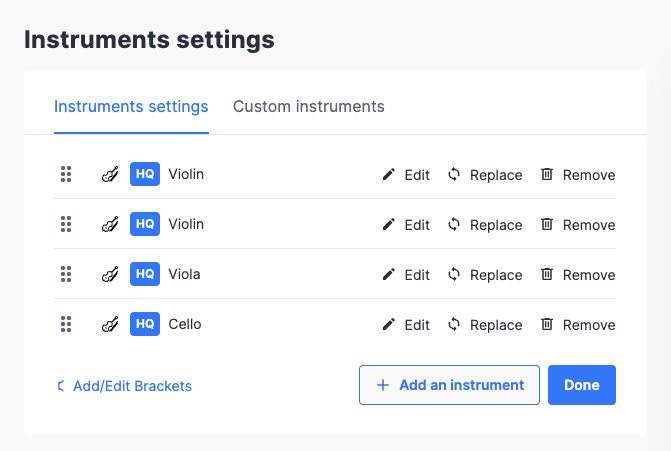
Click the Edit button next to the part you want to edit. You can also directly click on a part name if it is displayed on the page.
Set the name and abbreviation
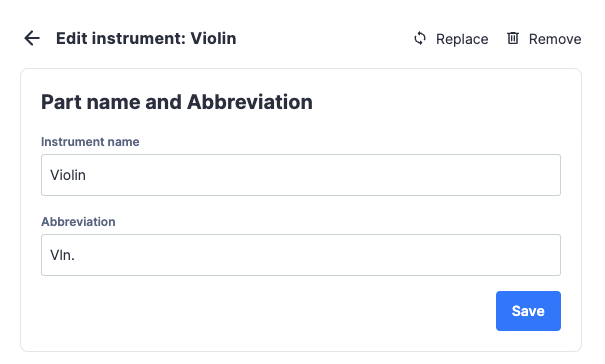
You can then change Instrument name and Abbreviation. The name is displayed on the first system, and the abbreviation is displayed on the next systems.
How do I hide or remove a part name?
It is possible to remove the part name displayed on the score. Use the method above to edit the part name, and set an empty name to the part. This will hide the name of the part on the notation, and it will be displayed as "Instrument N" on the different interfaces.
How do I rename a part?
A part carries two labels: the Instrument name, displayed on the first system, and the Abbreviation, displayed on the systems that follow. Both are edited in the part settings, and the change is applied to the score as soon as you save it.
Open the menu at the top right and tap Manage instruments, tap the pencil next to the part, and open Part name and abbreviation. Set the name and the abbreviation there, then save.
How do I hide or remove a part name?
It is possible to remove the part name displayed on the score. Edit the part name and set an empty name for the part. This will hide the name of the part on the notation, and it will be displayed as "Instrument N" on the different interfaces.
Same place - open Part name and abbreviation and clear the name. The name stops being drawn on the notation, and the part shows as "Instrument N" in the interfaces.
Frequently asked questions
What is the difference between the instrument name and the abbreviation?
Where they are printed. The Instrument name appears on the first system of the score, in full. The Abbreviation appears on every system after it, so a long name does not eat into the width of the music on every line.
How do I remove the part names from a score entirely?
Edit each part and set an empty Instrument name. Flat then prints no label next to the staff. The part is still identifiable inside the editor, where it is shown as "Instrument N" in the instruments list and the other interfaces.
Does renaming a part change the instrument or its sound?
No. The name and abbreviation are labels only - the staves, clefs, transposition, and playback sound all stay as they were. To change those you replace the instrument instead, which swaps the whole configuration.
Can I save a part name so I do not have to retype it?
Yes. A custom instrument stores a default part name and abbreviation along with the rest of the configuration, so an ensemble you write for often comes with the right labels already set.