How to add a to coda marking in Flat
Last updated September 17, 2026
A to coda marking in Flat tells the player to go directly to the coda section. Flat places it on the measure you choose, and it works with the jumps that send the performer back through the music: a da capo back to the beginning, or a dal segno back to the segno.
Which tool adds a to coda marking?
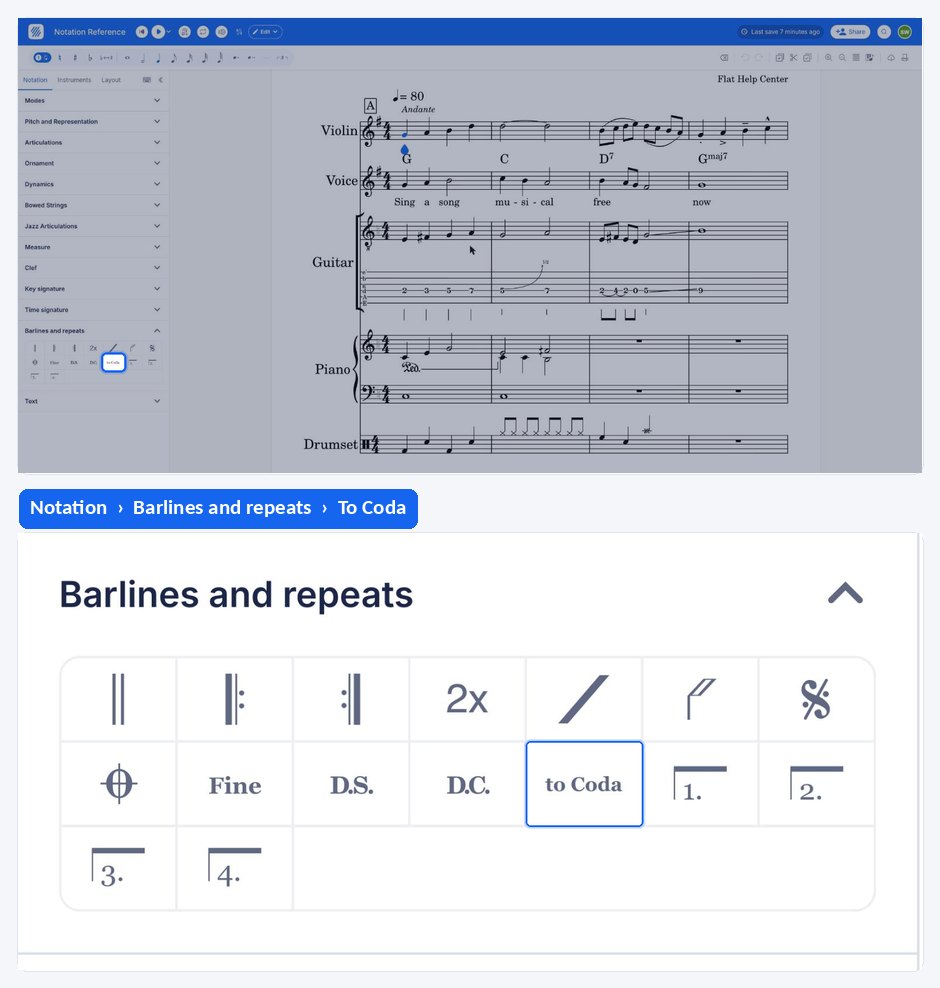
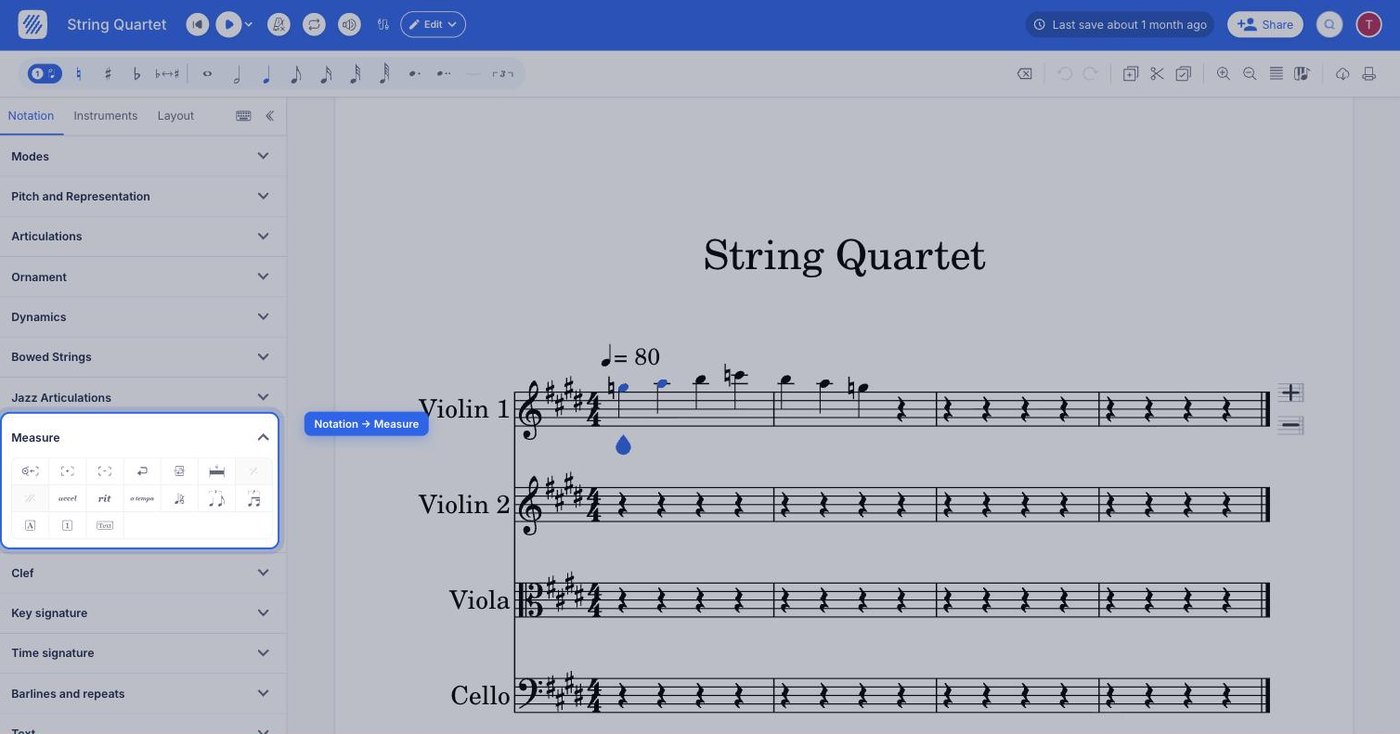
The to coda tool sits in the Measure section of the Notation tab, in the editor's left panel. It applies to the measure your cursor is in, and it is a toggle: clicking it again on the same measure removes the marking.
| Feature | Where to find it | Icon |
|---|---|---|
| To coda | Notation tab, Measure section |  |
What is a to coda marking for?
The "to coda" marking tells the player to go directly to the coda section. This happens either after they've returned to the beginning of the score (called "dacapo") or after reaching the "segno" marking. On the first pass through the music the marking is ignored; it is on the repeat pass that the performer takes the jump.
How do I add a to coda marking?
Place your cursor in the measure after which the performer should jump, open the Notation tab in the left panel, click Fine under Measure and then select to coda. To remove it, click on that same button one more time.
Frequently asked questions
What is the difference between a to coda and a coda?
The to coda marking sits in the body of the music and sends the performer away from it. The coda marking sits later in the score and marks where that jump lands - the first measure of the coda section, engraved on a new system.
Do I need a coda section for a to coda marking to make sense?
Yes. The to coda tells the player to go directly to the coda section, so the score needs a coda marking for them to jump to. Add the coda first, then place the to coda where the performer should leave the main body.