How to add up and down strokes in Flat
Last updated September 23, 2026
Stroke direction in Flat tells a player which way to attack a note or chord on a fretted instrument like a guitar or a bass. Flat writes two symbols, Up Stroke and Down Stroke, on the note you select, and removes the symbol again when you apply the same one twice.
How do I add an up or down stroke?
Look for these symbols in the Tab toolbar. To add them, select a note and click on the desired symbol. Click on the same icon one more time to remove it. The symbol applies to the whole chord when several notes share the position.
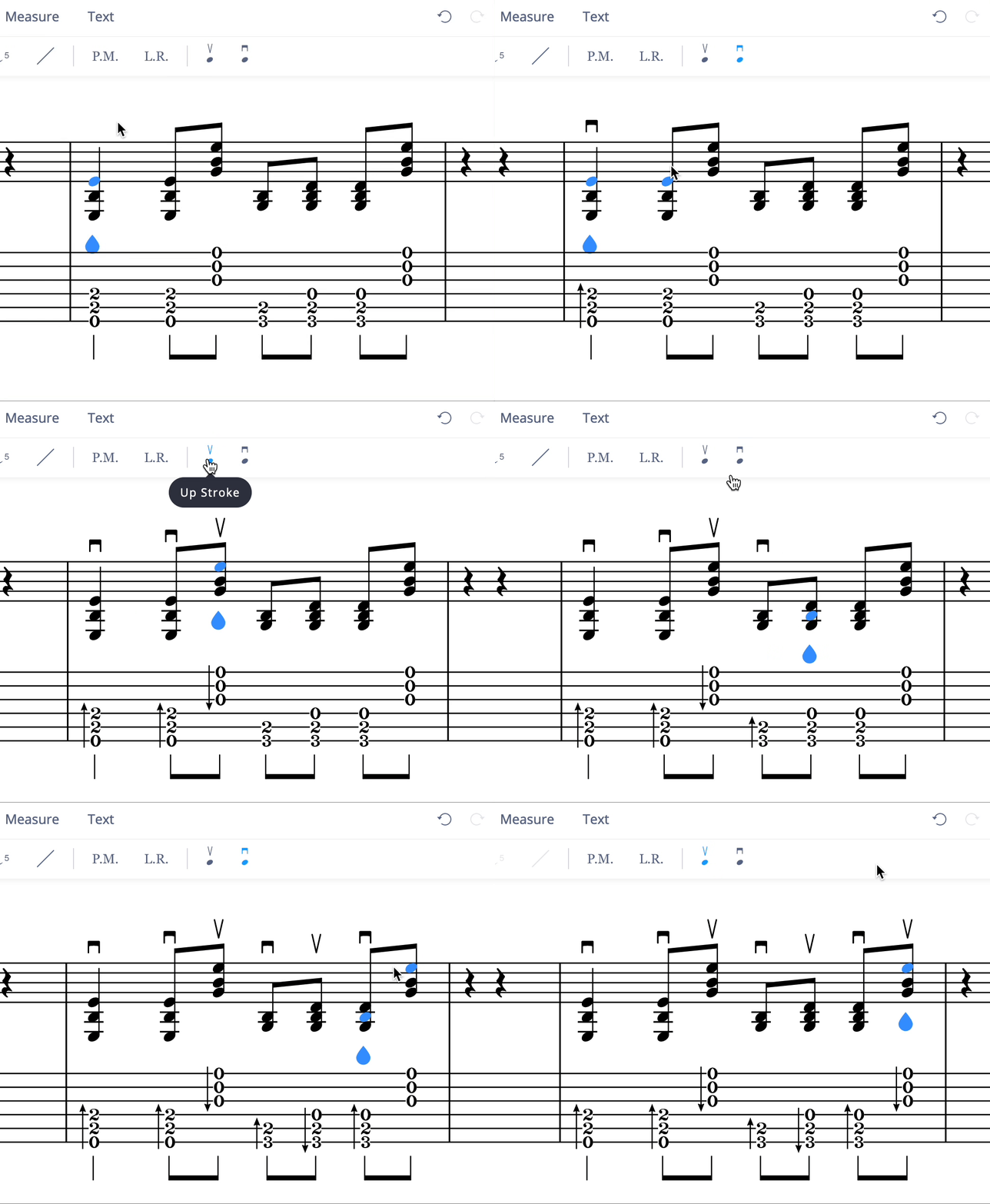
How do I add an up or down stroke?
Up Stroke and Down Stroke symbols indicate the direction for playing a note or chord on fretted instruments like guitars or basses - whether it should be played with an upward or downward stroke. Applying the same symbol a second time removes it from the note.
Select the note on the TAB staff, drag the tool palette up, and tap the up or down stroke. Tapping the same one again removes it; the symbol applies to the whole chord when several notes share the position.
Frequently asked questions
How do I remove a stroke symbol?
Select the note again and apply the same symbol a second time. The tools toggle, so clicking the up stroke on a note that already carries one removes it rather than adding a second symbol. Applying the other direction replaces it instead.
Can I mark the stroke direction of a whole chord?
Yes. The symbol belongs to the position rather than to a single string, so selecting a note in a chord and applying a stroke marks the chord. That is the usual case - strumming patterns are written as alternating up and down strokes over chords.
Which instruments can I use stroke symbols on?
Fretted instruments - guitars, basses, and the other plucked string instruments Flat writes tablature for. They pair naturally with the other rhythm-guitar markings, such as palm mute and let ring, when you are writing out a strumming pattern in full.