How to add tuplets in Flat
Last updated September 16, 2026
A tuplet in Flat is a rhythm that divides a beat into a number of equal parts the time signature does not imply, marked by a number over the group. Flat writes duplets, triplets, quadruplets, quintuplets, sextuplets, septuplets, nonuplets, and elevens, and removes an existing tuplet with the same tool.
Which tuplets does Flat support?
Flat provides a tuplet tool in the note tools of the left panel, under the Notation tab, and the individual tuplet types are chosen from inside that tool. Every type below is written the same way: the inner duration first, then the tuplet.
| Tuplet | Icon |
|---|---|
| Tuplet (the tool itself) |  |
| Duplet |  |
| Triplet | |
| Quadruplet |  |
| Quintuplet |  |
| Sextuplet |  |
| Septuplet |  |
| Nonuplet |  |
| Tuplet (11) |  |
What is a tuplet?
In music, a tuplet is a special rhythm where you split the beat into an unusual number of equal parts, different from what the time signature suggests. This is shown by a number indicating the fraction involved. The best-known kind of tuplet is the triplet, where three notes are played in the space of two regular beats.
How do I add a tuplet?
Start from the inner duration of the tuplet: write the note or rest of the value each tuplet member should have. Then open the tuplet tool in the left panel, under the Notation tab, and choose the tuplet you want. Flat groups the notes and prints the tuplet number over them.
Some examples:
- To insert a triplet of eighth notes, insert an eighth rest or note, then open the tuplet tool and choose Triplet.
- To insert a triplet of quarter notes, insert a quarter rest or note, then open the tuplet tool and choose Triplet.
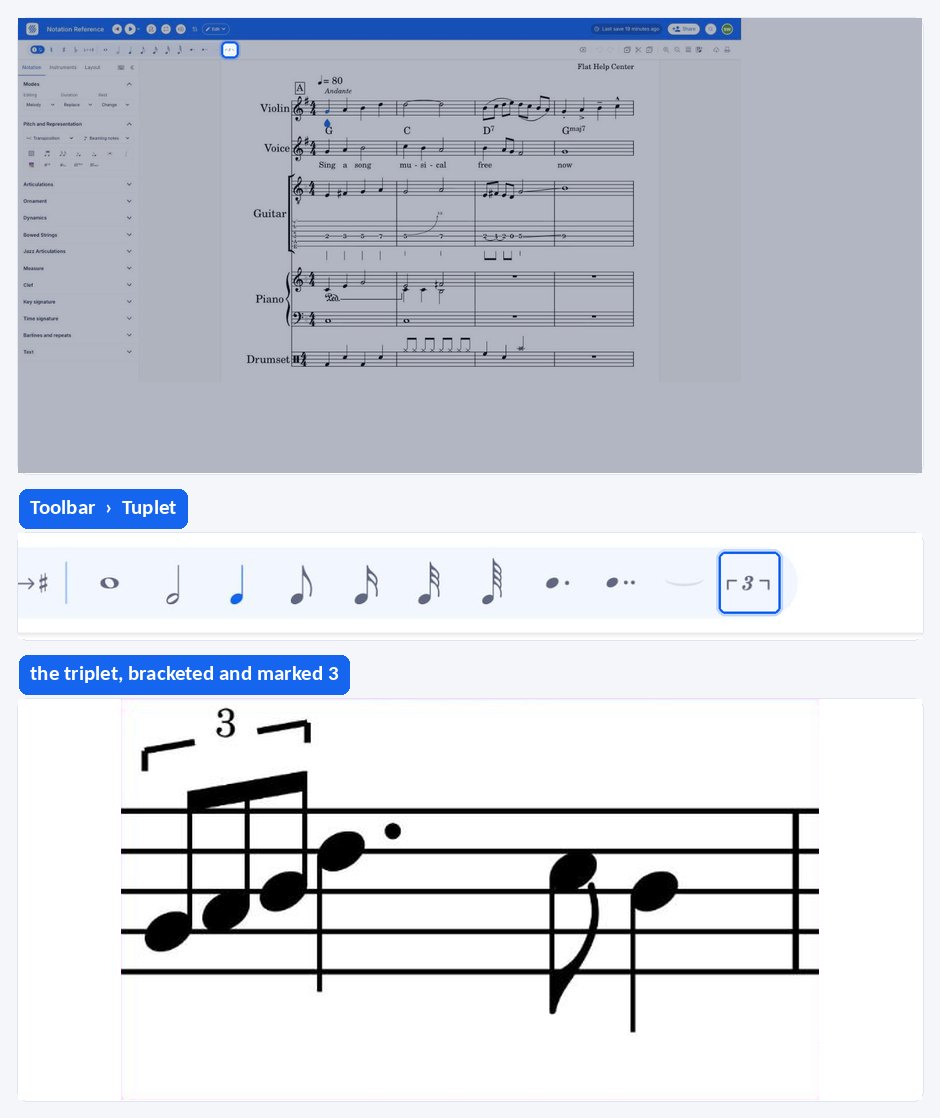
The duration you write before applying the tool is the value of each note inside the tuplet, not the length of the whole group. An eighth-note triplet therefore starts from an eighth note.
How do I remove a tuplet?
Place your cursor inside the tuplet you want to undo, then apply the tuplet tool once more. Flat removes the grouping and the tuplet number, and the notes return to their plain written values. The same tool therefore both creates and removes a tuplet, as shown in the example above.
What is a tuplet?
In music, a tuplet is a special rhythm where you split the beat into an unusual number of equal parts, different from what the time signature suggests. This is shown by a number indicating the fraction involved. The best-known kind of tuplet is the triplet, where three notes are played in the space of two regular beats.
How do I add a tuplet?
Flat builds a tuplet from the inner duration you write first: a triplet of eighth notes starts from an eighth note or rest, and a triplet of quarter notes starts from a quarter. Once the tuplet type is chosen, Flat groups the notes and prints the tuplet number over them.
Write the note or rest of the value each tuplet member should have, then drag the tool palette up and tap Tuplet under Notation and choose the tuplet you want. Flat groups the notes and prints the tuplet number over them.
The duration you write before applying the tool is the value of each note inside the tuplet, not the length of the whole group. An eighth-note triplet therefore starts from an eighth note.
How do I remove a tuplet?
Applying the tuplet tool a second time with the cursor inside an existing tuplet removes it. Flat drops the grouping and the tuplet number, and the notes return to their plain written values, so the same tool both creates and removes a tuplet.
Put the cursor inside the tuplet and tap Tuplet once more. The grouping and the number go, and the notes return to their plain written values.
Frequently asked questions
Which note value should I write before adding a triplet?
The value each note inside the triplet should have, not the length of the whole group. For a triplet of eighth notes, write an eighth note or rest first; for a triplet of quarter notes, write a quarter. Flat then fits three of that value into the space the tuplet occupies.
Can I write tuplets larger than a triplet?
Yes. Beyond the triplet, Flat writes duplets, quadruplets, quintuplets, sextuplets, septuplets, nonuplets, and elevens, all from the same tuplet tool. Choose the inner duration first, then pick the number of parts you want the beat divided into.
How do I turn a tuplet back into normal notes?
Put your cursor inside the tuplet and apply the tuplet tool again. The grouping and the number over the notes disappear, and each note keeps the plain written value it had. There is no separate delete control for tuplets.
Why does my triplet sound wrong on playback?
Check that the inner duration matches what you intended. A triplet built from quarter notes occupies two beats, while a triplet built from eighth notes occupies one, so starting from the wrong value produces the right notation over the wrong span. Rewrite the inner value and add the tuplet again.